Table of Contents
- Understanding Google Maps API Pricing in 2026
- Hidden Billing Traps That Inflate Your Costs
- The Flat-Rate SVG Map Alternative
- When Google Maps Makes Sense (and When It Doesn't)
- Making the Switch to Self-Hosted SVG Maps
- Conclusion
1. Understanding Google Maps API Pricing in 2026
The End of the Free Credit Era
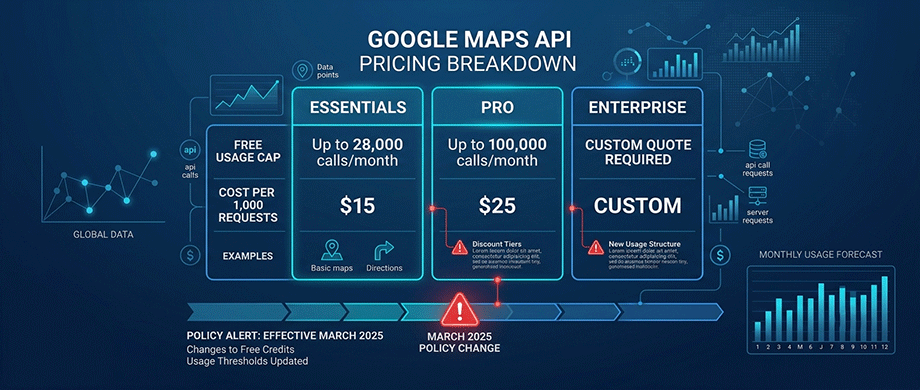
The most significant change to Google Maps pricing occurred in March 2025, when Google retired the $200 monthly credit that had historically made the platform accessible to small developers. This was replaced by per-SKU free usage caps, a system that rewards light usage of individual APIs but penalizes applications that combine multiple services.
The new pricing structure divides Google's APIs into three tiers:
- Essentials: [10,000 Free Calls Per Month] Example APIs: Dynamic Maps, Static Maps, Geocoding, Directions, Places Autocomplete.
- Pro: [5,000 Free Calls Per Month] Example APIs: Street View, Traffic-Aware Routing, Advanced Places Data.
- Enterprise: [1,000 Free zCalls Per Month] Example APIs: Photorealistic 3D Tiles, Fleet Routing.
Real-World Cost Examples
The costs add up faster than many website owners expect. According to current Google pricing, here's what common use cases actually cost:
- Dynamic Maps (JavaScript loads): $7.00 per 1,000 requests after the 10,000 free tier.
- Static Maps: $2.00 per 1,000 requests.
- Geocoding: $5.00 per 1,000 requests.
- Places Autocomplete: $2.83 per 1,000 requests.
- Directions API: $5.00 per 1,000 requests.
A busy store locator with 60,000 page loads per month where the map renders would pay approximately $350 monthly just for dynamic map loads. Add autocomplete functionality on the search box at 80,000 keystroke requests, and you're looking at roughly $550 per month for a single feature.
For route-heavy applications like delivery platforms, the math is even more alarming. One reported case saw monthly Google Maps costs exceeding $8,000 for distance matrix calls, route calculations, and geocoding.
2. Hidden Billing Traps That Inflate Your Costs

The API Key Theft Risk
In nearly two decades of building maps for client sites, API key theft is one of the support tickets we still see most often — and it's rarely the client's fault. It usually happens because a plugin required an unrestricted key to function at all, so there was no way to lock it down properly in the first place.
One of the most overlooked dangers of Google Maps API usage is the risk of key theft. When you leave your API key unrestricted—a common requirement for some WordPress mapping plugins—you open yourself to potential abuse.
A stolen API key can be used by malicious actors to make unauthorized requests, all billed to your account. Because Google Maps API pricing is pay-as-you-go, a single key compromise can result in thousands of dollars in unexpected charges before you notice the issue.
Uncached Requests Drain Your Budget
Many WordPress mapping plugins fail to properly cache API responses, resulting in repeated requests for identical data. Every page load that triggers a geocoding request or map tile fetch counts against your monthly quota, even if the address or location hasn't changed.
One site owner reported paying $150 per month for what they described as an "incredibly low traffic site" because the plugin was making thousands of uncached API requests. Ensuring proper caching is essential for keeping costs manageable.
Autocomplete and Page Load Charges
Two features that frequently drive up costs are Places Autocomplete and automatic map loading on page load. Autocomplete makes an API request for every keystroke a user types, potentially generating dozens of requests per user session. Automatic map loading means every page visitor triggers a dynamic map request, even if they never interact with the map.
Simply enabling debug mode in a WordPress plugin can disable caching, exponentially increasing API requests. These hidden traps can transform what should be a modest monthly cost into a significant budget line item.
3. The Flat-Rate SVG Map Alternative
Zero External Dependencies
This is the part of the shift we've found most satisfying to watch. Back when we were building SWF maps in Flash, "external dependency" wasn't really a concept — the map was a file that lived on your server, full stop. Rebuilding that same self-contained philosophy in SVG, two technology generations later, was the whole point of the plugins we build today.
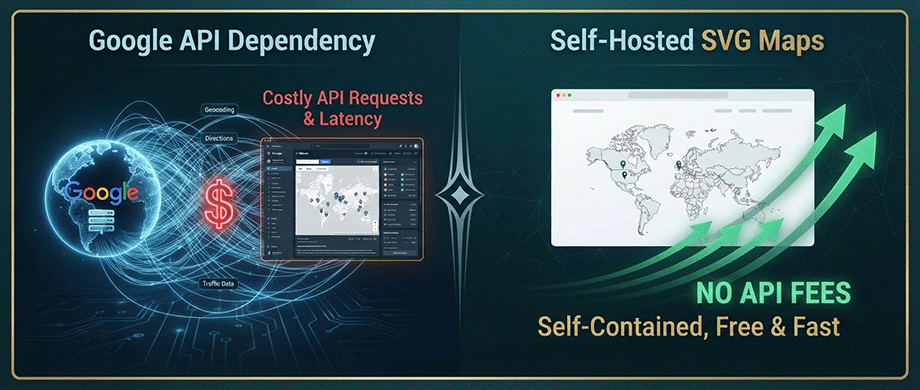
Flat-rate SVG map plugins offer a fundamentally different approach to web mapping. Instead of loading map tiles and data from external servers on a per-request basis, these plugins use inline SVG graphics that live directly on your website. When a visitor loads your page, the map renders instantly without making any external API calls.
The benefits are immediate and substantial:
- No API keys required: you never need to set up a Google Cloud account.
- No per-request fees: your costs are fixed regardless of traffic volume.
- No external dependencies: your maps work even if Google changes its terms.
- No rate limits: you can support unlimited concurrent visitors without throttling.
Predictable, Fixed Costs
Unlike Google's pay-as-you-go model, SVG map plugins typically offer one-time purchases or flat-rate subscriptions. A premium interactive map plugin might cost $59–$99 per year, covering unlimited maps, unlimited pins, and all features.
For a high-traffic travel blog or real estate site that would otherwise pay hundreds or thousands of dollars monthly in Google Maps fees, this represents a massive cost saving. The break-even point is often reached within the first month or two of switching.
Performance Advantages
Self-hosted SVG maps deliver significant performance benefits as well. Because the map data is stored locally, page load times are dramatically faster than waiting for external tile servers to respond. Frontend assets for lightweight SVG map plugins can be under 10kb gzipped, compared to the substantial JavaScript payloads required by Google Maps.
This improved performance translates directly to better Core Web Vitals scores, which can positively impact your Google search rankings and user experience.
4. When Google Maps Makes Sense (and When It Doesn't)
When You Need Google Maps
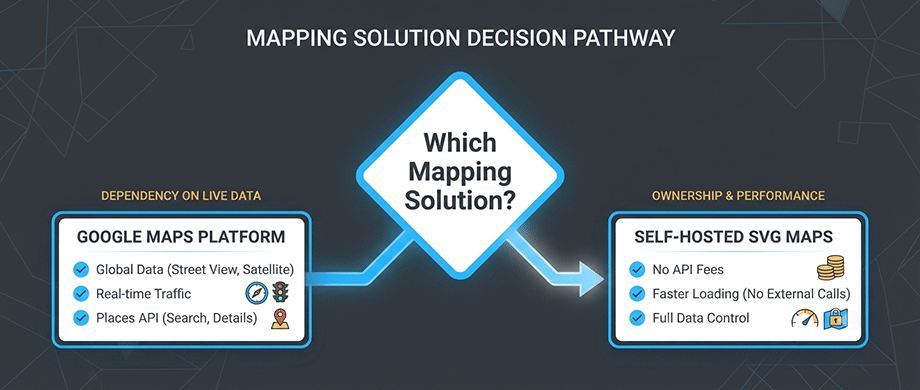
Despite the cost considerations, Google Maps remains the superior choice for certain use cases:
- Real-time traffic data: Google's traffic-aware routing is unmatched by open-source alternatives.
- Global Places data: the curated POI dataset with reviews, hours, and business details is industry-leading.
- Complex routing: if your application requires sophisticated route optimization across multiple regions.
- Address autocomplete for end users: Google's fuzzy matching and predictive input handling is significantly better than open-source geocoders.
- Enterprise SLAs: Google offers formal service level agreements and dedicated support.
When SVG Maps Are the Better Choice
Flat-rate SVG maps excel in scenarios where display and interaction are the primary needs, rather than external data services:
- Travel blogs: showing journey routes, visited destinations, or itinerary stops.
- Real estate websites: displaying property portfolios by neighborhood with custom pins.
- Business location pages: showing office or store locations without advanced routing.
- Educational content: geography maps, historical routes, or demographic visualizations.
- Store locators: where users search by zip code rather than requiring autocomplete.
The Hybrid Approach
Many organizations are adopting hybrid architectures: using Google Maps for specific high-value services while relying on self-hosted alternatives for everything else. One delivery platform reduced its monthly Google Maps bill from $8,000 to roughly $400 by migrating routing and map display to open-source tools while retaining Google for customer-facing address search.
This approach requires careful architectural planning to ensure compliance with Google's terms, which restrict displaying certain data on non-Google maps. However, when implemented correctly, it offers the best of both worlds.
5. Making the Switch to Self-Hosted SVG Maps
Choosing the Right Plugin
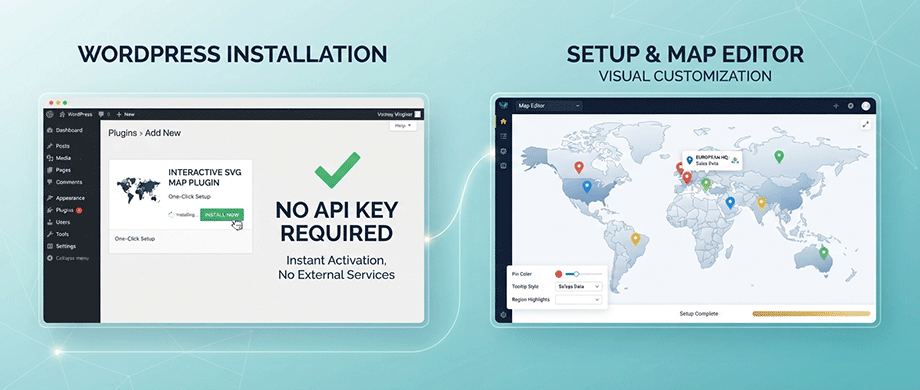
Several WordPress plugins enable self-hosted SVG maps, each with different strengths:
- For Pure SVG Vector Maps Plugins like WordPress Map Plugins focus exclusively on lightweight SVG maps with zero external dependencies. They are one of the easiest map plugins to use with straightforward customization and implementation, making them incredibly fast.
- For Advanced Interactive Content PicPoints provides a Figma-like SVG vector editor with support for complex shapes, multi-scene floor plans, and rich tooltips. It uses an isolated Shadow DOM architecture for zero CSS conflicts. This is ideal for real estate floor plans, product anatomy showcases, and shoppable lookbooks..
- For Integrated Solutions MapSVG offers a comprehensive approach with support for both SVG vector maps and Google Maps in the same plugin. It includes 100+ pre-built SVG maps, custom field support, and a built-in database for markers. The premium version adds CSV import, advanced filters, and custom Handlebars templates.
Migration Considerations
When transitioning from Google Maps to SVG maps, consider these steps:
- Audit your current usage identify which Google Maps APIs you actually use and whether they're essential.
- Export your location data pin positions, addresses, and descriptions should be migrated to the new system.
- Test thoroughly ensure map rendering, tooltips, and interactivity work correctly on all devices.
- Monitor user feedback if users expect certain functionality, be prepared to adjust.
Long-Term Benefits
Switching to self-hosted SVG maps delivers ongoing advantages beyond cost savings:
- No vendor lock-in your maps remain functional regardless of third-party policy changes.
- Complete data control your location data stays on your servers, not Google's.
- Simplified compliance GDPR and data residency requirements become easier to manage.
- Predictable budgeting fixed costs eliminate the surprise of unexpected usage spikes.
Conclusion: Choose the Right Map for Your Growth Stage
The decision between Google Maps API and flat-rate SVG maps ultimately comes down to your use case, traffic volume, and budget. For small, low-traffic sites that stay within Google's free caps, the API remains effectively free. But as your website grows, those costs can quickly escalate into a significant expense.
Travel bloggers and real estate websites are particularly well-suited for SVG map solutions because their primary need is visual display and interaction, not real-time routing or comprehensive Places data. By making the switch, you eliminate per-request fees entirely, replace them with predictable fixed costs, and often deliver a faster, more responsive experience to your users.

About the Author
Botrous Kerolos has been designing and building interactive maps for the web since 2009 — from early Flash/SWF maps to modern SVG — and leads development at WP Map Plugins, helping WordPress sites turn static content into fast, accessible, interactive experiences.