Interactive Map of Thailand Overview
Command data tracking across Southeast Asia's primary manufacturing and travel corridors using our robust Thailand interactive map plugin. Spanning from the bustling urban sprawl of Bangkok to the heavy industrial zones of the Eastern Economic Corridor and the coastal tourism tracks of the south, Thailand requires tight data organization. This responsive vector graphic cleanly isolates the country's 76 provinces, giving site managers absolute design flexibility.
Main Features
Everything included with the Interactive Map of Thailand plugin.
Map Capabilities
Every Province, Individually Clickable
All 77 provinces, each its own clickable region — not one flat image.
Visual Editor, No Code
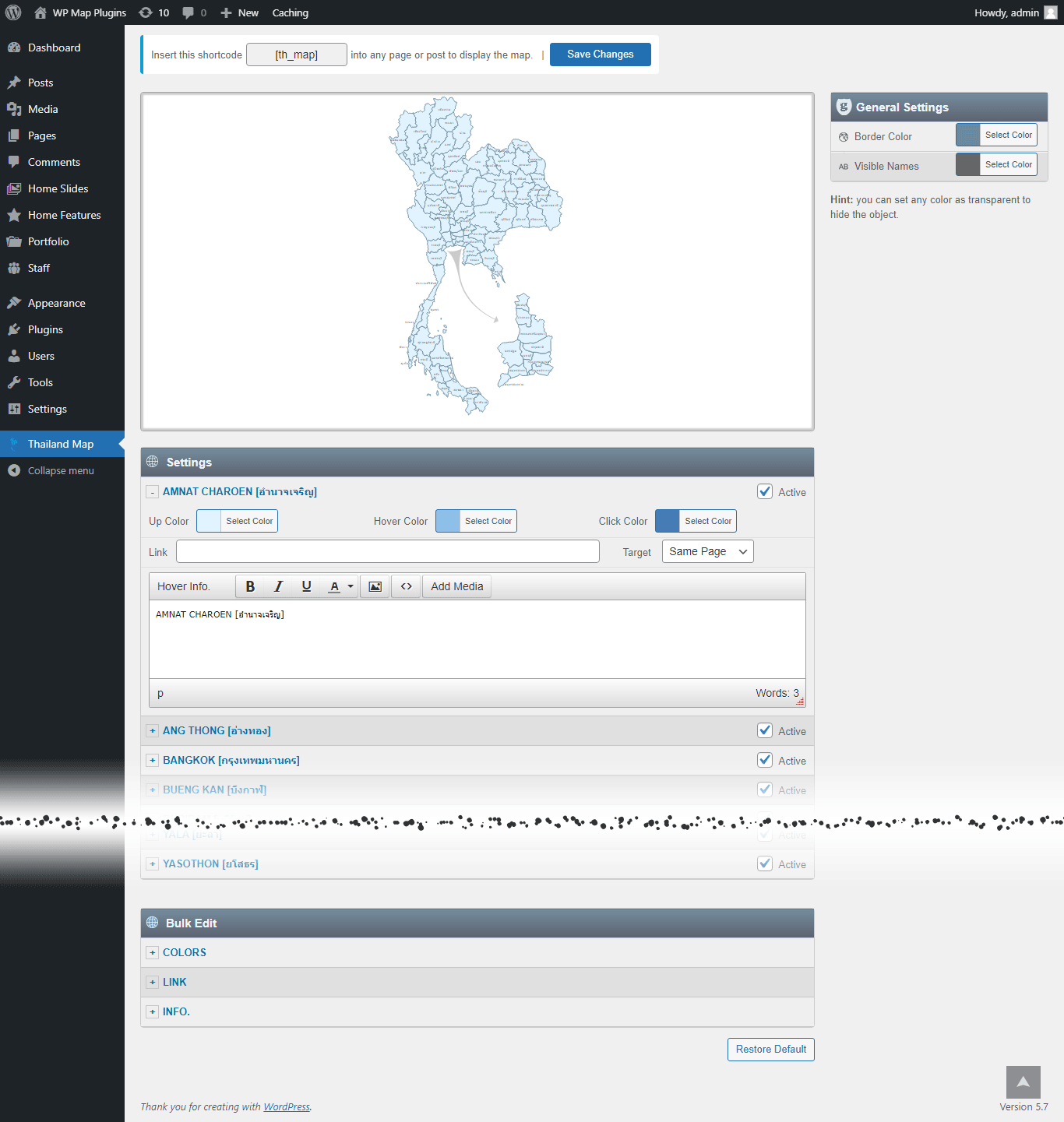
Set a color, a link, and a hover popup for any region directly in the WordPress editor.
SVG — Always Sharp
Vector graphics, so the map stays crisp on everything from a phone to a 4K monitor.
No iframe, No External API
The map loads with your page — no embed, no third-party map service, no API key to manage.
Custom Hover Popups
Add text, images to the hover Popup. And link each region to any URL.
One Shortcode to Install
Drop a single shortcode into any post, page, or widget area — no theme editing required.
Multiple Maps, One Site
Build up to 3 instances of the map on your site, each with its own colors, links, and popups.
Popup Maker Integration
New Trigger a full Popup Maker popup from any region click for more advanced layouts.
Watch a Video →Why Get It From Us
No Trial, No Expiration
This is the free version of the plugin, ready to use on your site — not a time-limited trial.
Free Lifetime Updates
Every future update to this plugin is included at no extra cost.
Support From the Developer
Questions go directly to the person who built the plugin, not a ticket queue.
Common Ways Businesses Use This Map
See a few examples of how businesses rely on the Interactive Map of Thailand plugin.
Automotive and Electronics Nearshore Manufacturing
Mapping major global assembly lines, industrial industrial parks, and supply networks across the Central Plains.
Multi-Destination Hospitality and Beach Resort Portals
Connecting coastal southern provinces or northern mountain tracks directly to hotel networks, luxury villa listings, and booking engines.
National Retail Franchise Store Network Expansion
Directing nationwide consumers to corporate flagship locations, certified distributor nodes, or localized service boundaries.
List of the clickable provinces in the map of Thailand
Each province can be customized independently (colors, link, hover information, etc).
- Amnat Charoen [อำนาจเจริญ]
- Ang Thong [อ่างทอง]
- Bangkok [กรุงเทพมหานคร]
- Bueng Kan [บึงกาฬ]
- Buriram [บุรีรัมย์]
- Chachoengsao [ฉะเชิงเทรา]
- Chai Nat [ชัยนาท]
- Chaiyaphum [ชัยภูมิ]
- Chanthaburi [จันทบุรี]
- Chiang Mai [เชียงใหม่]
- Chiang Rai [เชียงราย]
- Chonburi [ชลบุรี]
- Chumphon [ชุมพร]
- Kalasin [กาฬสินธุ์]
- Kamphaeng Phet [กำแพงเพชร]
- Kanchanaburi [กาญจนบุรี]
- Khon Kaen [ขอนแก่น]
- Krabi [กระบี่]
- Lampang [ลำปาง]
- Lamphun [ลำพูน]
- Loei [เลย]
- Lopburi [ลพบุรี]
- Mae Hong Son [แม่ฮ่องสอน]
- Maha Sarakham [มหาสารคาม]
- Mukdahan [มุกดาหาร]
- Nakhon Nayok [นครนายก]
- Nakhon Pathom [นครปฐม]
- Nakhon Phanom [นครพนม]
- Nakhon Ratchasima [นครราชสีมา]
- Nakhon Sawan [นครสวรรค์]
- Nakhon Si Thammarat [นครศรีธรรมราช]
- Nan [น่าน]
- Narathiwat [นราธิวาส]
- Nong Bua Lamphu [หนองบัวลำภู]
- Nong Khai [หนองคาย]
- Nonthaburi [นนทบุรี]
- Pathum Thani [ปทุมธานี]
- Pattani [ปัตตานี]
- Phang Nga [พังงา]
- Phatthalung [พัทลุง]
- Phayao [พะเยา]
- Phetchabun [เพชรบูรณ์]
- Phetchaburi [เพชรบุรี]
- Phichit [พิจิตร]
- Phitsanulok [พิษณุโลก]
- Phra Nakhon Si Ayutthaya [พระนครศรีอยุธยา]
- Phrae [แพร่]
- Phuket [ภูเก็ต]
- Prachinburi [ปราจีนบุรี]
- Prachuap Khiri Khan [ประจวบคีรีขันธ์]
- Ranong [ระนอง]
- Ratchaburi [ราชบุรี]
- Rayong [ระยอง]
- Roi Et [ร้อยเอ็ด]
- Sa Kaeo [สระแก้ว]
- Sakon Nakhon [สกลนคร]
- Samut Prakan [สมุทรปราการ]
- Samut Sakhon [สมุทรสาคร]
- Samut Songkhram [สมุทรสงคราม]
- Saraburi [สระบุรี]
- Satun [สตูล]
- Sing Buri [สิงห์บุรี]
- Sisaket [ศรีสะเกษ]
- Songkhla [สงขลา]
- Sukhothai [สุโขทัย]
- Suphan Buri [สุพรรณบุรี]
- Surat Thani [สุราษฎร์ธานี]
- Surin [สุรินทร์]
- Tak [ตาก]
- Trang [ตรัง]
- Trat [ตราด]
- Ubon Ratchathani [อุบลราชธานี]
- Udon Thani [อุดรธานี]
- Uthai Thani [อุทัยธานี]
- Uttaradit [อุตรดิตถ์]
- Yala [ยะลา]
- Yasothon [ยโสธร]
Get This Plugin Free
The Interactive Map of Thailand plugin is completely free. Enter your name and email below and we'll send the download link straight to your inbox.
Frequently Asked Questions
Find answers to common questions about the Interactive Map of Thailand WordPress Plugin.
Can I add an image in the hover popup?
Yes. You can add text and images to the hover popup. However, we recommend keeping the hover popup content concise and using the modal window option for more detailed content.
Can I add clickable links in the hover popup?
You can link each clickable area to any URL, but the hover popup itself does not support clickable links. If you need more detailed content with clickable links, you can use the modal window option together with the Popup Maker plugin. This allows you to open a modal window containing as much text, clickable links, and images as needed. Watch a Video →
Can I create another map with different style in my website?
Yes. The full version includes 3 installable instances of the plugin, allowing you to create a second and third map with different colors, links, and other settings. Each map has its own dedicated shortcode.
Do you offer special customization if needed?
Yes. We offer custom development and customization services, including:
- Merging or splitting regions.
- Creating a completely new map from scratch.
- Adding or removing regions.
- Adding custom legend, or other map elements.