Interactive Map of Qatar Overview
Deliver precise data layouts for high-density Gulf financial markets using an ultra-responsive Qatar map plugin. Managing a clean visual interface for highly concentrated urban and industrial zones requires a precise, scale-optimized framework to prevent overlapping data clutter. This SVG asset cleanly organizes Qatar’s administrative municipalities, creating an interactive visual engine perfect for financial institutions, luxury real estate developers, and local commercial services.
Main Features
Everything included with the Interactive Map of Qatar plugin.
Map Capabilities
Every Baladiya, Individually Clickable
All 8 baladiyas, each its own clickable region — not one flat image.
Visual Editor, No Code
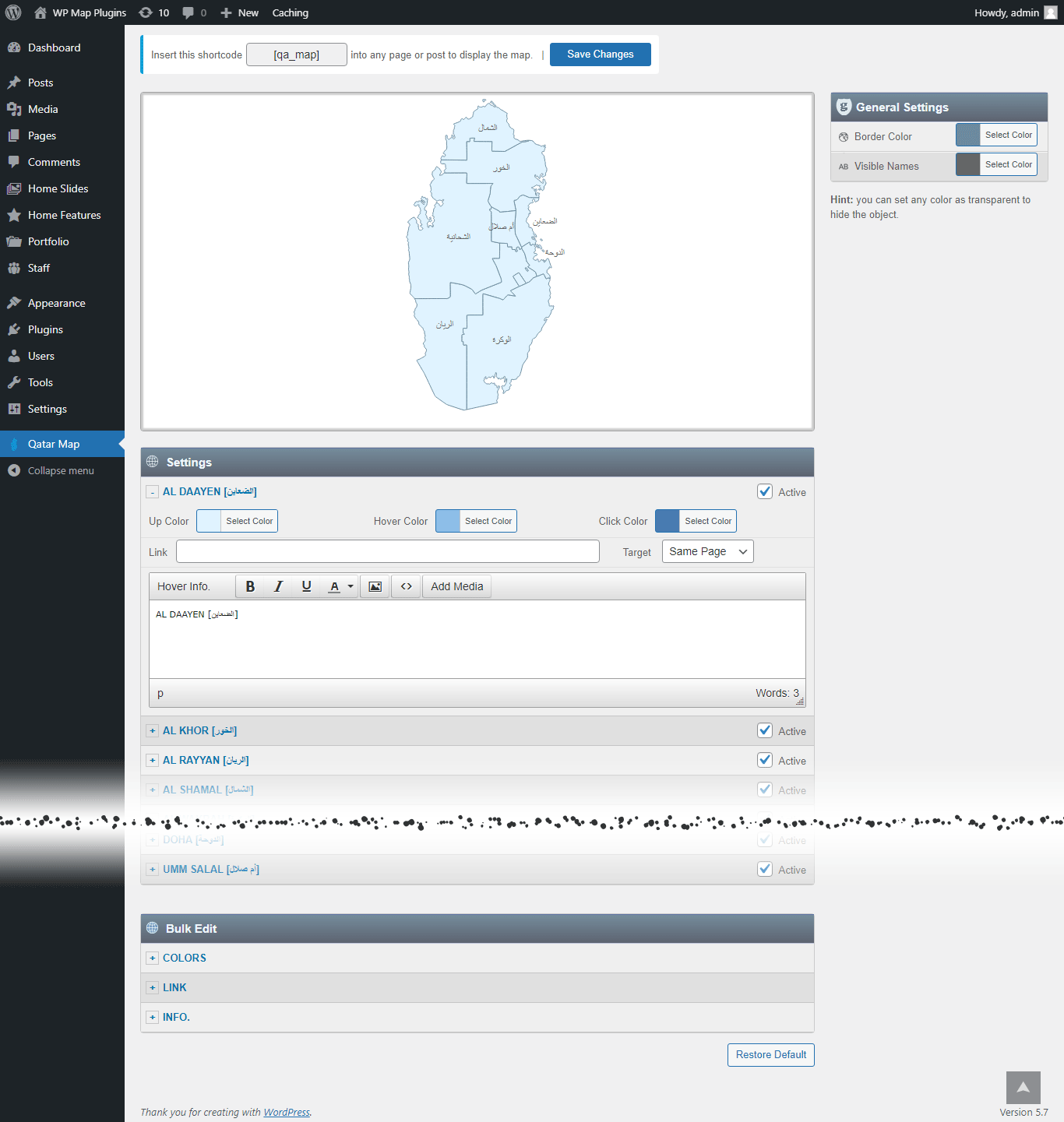
Set a color, a link, and a hover popup for any region directly in the WordPress editor.
SVG — Always Sharp
Vector graphics, so the map stays crisp on everything from a phone to a 4K monitor.
No iframe, No External API
The map loads with your page — no embed, no third-party map service, no API key to manage.
Custom Hover Popups
Add text, images to the hover Popup. And link each region to any URL.
One Shortcode to Install
Drop a single shortcode into any post, page, or widget area — no theme editing required.
Multiple Maps, One Site
Build up to 3 instances of the map on your site, each with its own colors, links, and popups.
Popup Maker Integration
New Trigger a full Popup Maker popup from any region click for more advanced layouts.
Watch a Video →Why Get It From Us
No Trial, No Expiration
This is the free version of the plugin, ready to use on your site — not a time-limited trial.
Free Lifetime Updates
Every future update to this plugin is included at no extra cost.
Support From the Developer
Questions go directly to the person who built the plugin, not a ticket queue.
Common Ways Businesses Use This Map
Here are a few examples of how businesses use the Interactive Map of Qatar plugin.
FinTech, Banking, and Wealth Management Footprints
Segmenting wealth management client distributions, secure data centers, and multi-national advisory offices centered around Doha.
Mega Infrastructure and Smart City Projects
Tracking advanced real estate developments, commercial zoning expansion zones, and corporate assets.
Industrial Gas Logistics and Export Facilities
Visualizing massive LNG refining sectors, industrial processing hubs, and maritime cargo pathways.
List of the clickable baladiyas in the map of Qatar
Each baladiya can be customized independently (colors, link, hover information, etc).
- Al Daayen [الضعاين]
- Al Khor [الخور]
- Al Rayyan [الريان]
- Al Shamal [الشمال]
- Al Wakrah [الوكرة]
- Al-Shahaniya [الشحانية]
- Doha [الدوحة]
- Umm Salal [أم صلال]
Get This Plugin Free
The Interactive Map of Qatar plugin is completely free. Enter your name and email below and we'll send the download link straight to your inbox.
Frequently Asked Questions
Find answers to common questions about the Interactive Map of Qatar WordPress Plugin.
Can I add an image in the hover popup?
Yes. You can add text and images to the hover popup. However, we recommend keeping the hover popup content concise and using the modal window option for more detailed content.
Can I add clickable links in the hover popup?
You can link each clickable area to any URL, but the hover popup itself does not support clickable links. If you need more detailed content with clickable links, you can use the modal window option together with the Popup Maker plugin. This allows you to open a modal window containing as much text, clickable links, and images as needed. Watch a Video →
Can I create another map with different style in my website?
Yes. The full version includes 3 installable instances of the plugin, allowing you to create a second and third map with different colors, links, and other settings. Each map has its own dedicated shortcode.
Do you offer special customization if needed?
Yes. We offer custom development and customization services, including:
- Merging or splitting regions.
- Creating a completely new map from scratch.
- Adding or removing regions.
- Adding custom legend, or other map elements.