Interactive Map of Argentina Overview
Conquer complex regional data tracking across the Southern Cone with a robust, vector-based interactive map plugin built for Argentina. This tool cleanly segments Argentina's diverse landscape—from the bustling commercial center of Buenos Aires to the agricultural Pampas and the resource-rich territories of Patagonia—into clickable provinces. Website administrators can effortlessly style individual borders to match corporate identities or display localized metrics with zero coding.
Main Features
Everything included with the Interactive Map of Argentina plugin.
Map Capabilities
Every Province, Individually Clickable
All 24 provinces, each its own clickable region — not one flat image.
Visual Editor, No Code
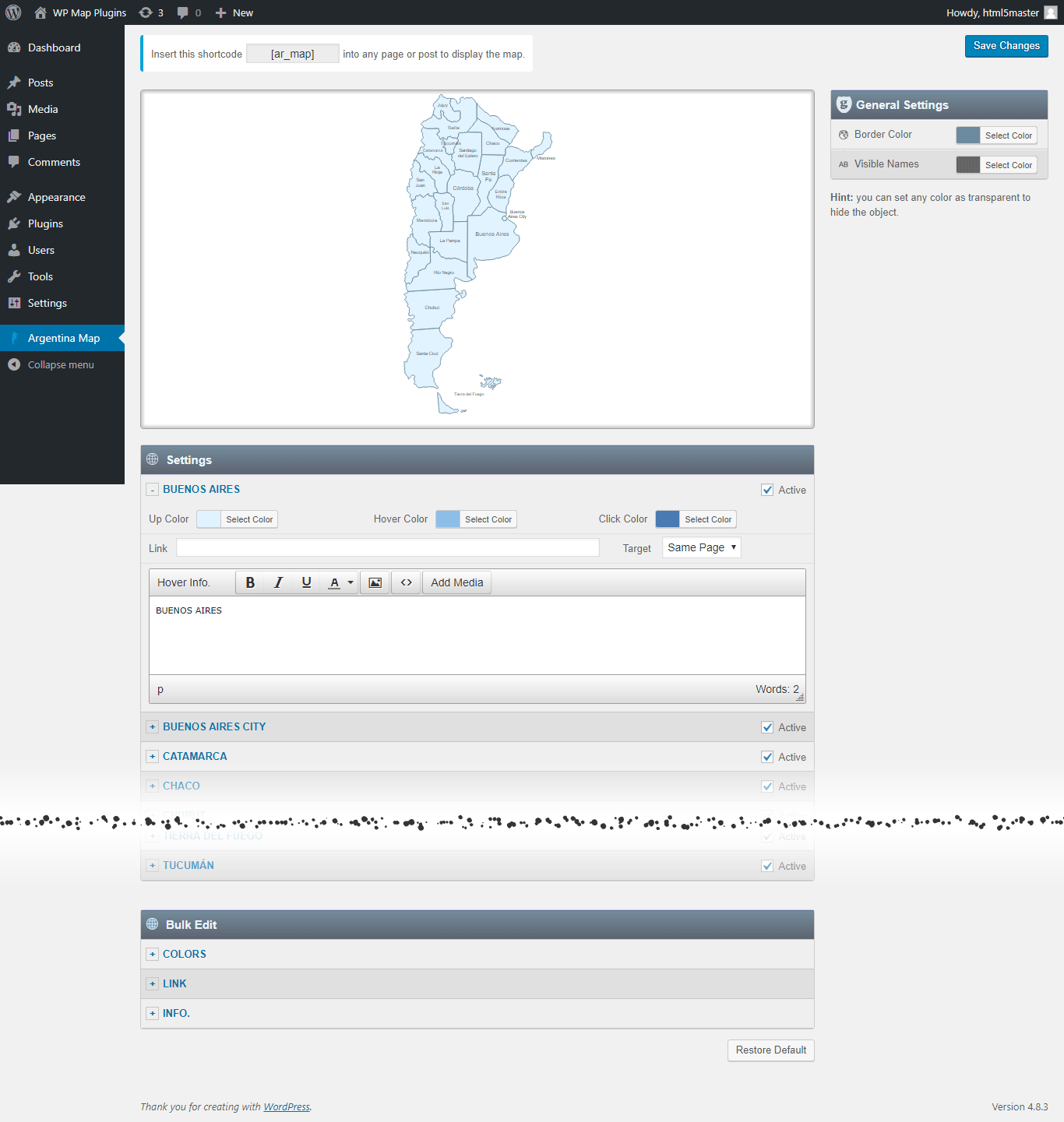
Set a color, a link, and a hover popup for any region directly in the WordPress editor.
SVG — Always Sharp
Vector graphics, so the map stays crisp on everything from a phone to a 4K monitor.
No iframe, No External API
The map loads with your page — no embed, no third-party map service, no API key to manage.
Custom Hover Popups
Add text, images to the hover Popup. And link each region to any URL.
One Shortcode to Install
Drop a single shortcode into any post, page, or widget area — no theme editing required.
Multiple Maps, One Site
Build up to 3 instances of the map on your site, each with its own colors, links, and popups.
Popup Maker Integration
New Trigger a full Popup Maker popup from any region click for more advanced layouts.
Watch a Video →Why Get It From Us
No Trial, No Expiration
This is the free version of the plugin, ready to use on your site — not a time-limited trial.
Free Lifetime Updates
Every future update to this plugin is included at no extra cost.
Support From the Developer
Questions go directly to the person who built the plugin, not a ticket queue.
Common Ways Businesses Use This Map
Explore real examples of how businesses use the Interactive Map of Argentina plugin.
Agricultural Commodity Sourcing and Tracking
Mapping massive soy, wheat, and cattle production sectors alongside regional agricultural cooperative hubs.
Wine Sub-Appellation and Tourism Guides
Connecting individual provinces like Mendoza and San Juan directly to vineyard databases, travel packages, and winery routes.
Mining Operations and Resource Extraction
Plotting active lithium extraction sites, silver mines, and localized energy infrastructure projects.
List of the clickable provinces in the map of Argentina
Each province can be customized independently (colors, link, hover information, etc).
- Buenos Aires
- Buenos Aires City
- Catamarca
- Chaco
- Chubut
- Corrientes
- Córdoba
- Entre Ríos
- Formosa
- Jujuy
- La Pampa
- La Rioja
- Mendoza
- Misiones
- Neuquén
- Río Negro
- Salta
- San Juan
- San Luis
- Santa Cruz
- Santa Fe
- Santiago del Estero
- Tierra del Fuego
- Tucumán
Get This Plugin Free
The Interactive Map of Argentina plugin is completely free. Enter your name and email below and we'll send the download link straight to your inbox.
Frequently Asked Questions
Find answers to common questions about the Interactive Map of Argentina WordPress Plugin.
Can I add an image in the hover popup?
Yes. You can add text and images to the hover popup. However, we recommend keeping the hover popup content concise and using the modal window option for more detailed content.
Can I add clickable links in the hover popup?
You can link each clickable area to any URL, but the hover popup itself does not support clickable links. If you need more detailed content with clickable links, you can use the modal window option together with the Popup Maker plugin. This allows you to open a modal window containing as much text, clickable links, and images as needed. Watch a Video →
Can I create another map with different style in my website?
Yes. The full version includes 3 installable instances of the plugin, allowing you to create a second and third map with different colors, links, and other settings. Each map has its own dedicated shortcode.
Do you offer special customization if needed?
Yes. We offer custom development and customization services, including:
- Merging or splitting regions.
- Creating a completely new map from scratch.
- Adding or removing regions.
- Adding custom legend, or other map elements.